
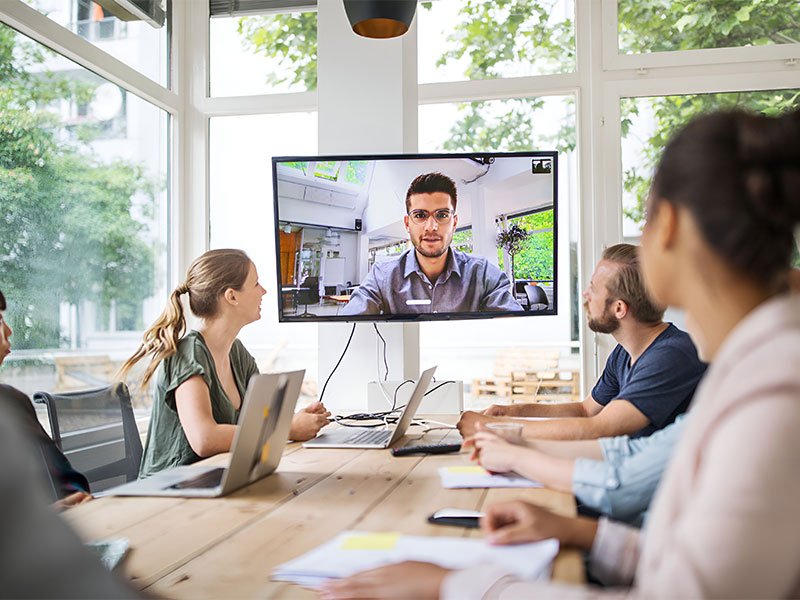
Let’s have an honest conversation. You’re smart, prepared, and good at your job. But you’ve probably had that uncomfortable moment—you’re on a Zoom call, you’ve just shared a solid idea, and somehow the energy in the room doesn’t match. People seem distracted. The senior leader interrupts you mid-thought. Your comment gets overlooked, and a minute later, someone else says the same thing, and everyone agrees.
Was it the idea? Probably not.
Was it you on camera? Quite possibly.
Welcome to the one career challenge that nobody formally trains you for: mastering virtual presence. In a remote-first world, how you appear on screen has become as important as what you say. Your lighting, grooming, posture, background, and voice create a “packaging” around your ideas. When the packaging is off, even great ideas get dismissed.
This isn’t about being shallow or performative. It’s about making sure your real competence actually comes through the camera instead of getting lost in bad angles, shiny foreheads, and hollow audio.
Here’s your complete guide to showing up as the professional you already are.
Why Virtual Presence Is a Career Skill, Not a Vanity Exercise?
Think about the last remote meeting you attended. You probably formed opinions about each participant within the first 60 seconds—before they even finished their first sentence. That person with crisp lighting and direct eye contact felt more authoritative. The one with messy audio and a dark, cluttered background felt less credible, even if what they said was perfectly reasonable.
That’s not judgment—it’s neuroscience. Our brains process visual and audio cues faster than language. Subconscious decisions about competence, confidence, and trustworthiness happen in milliseconds, before logic catches up.
In 2026, with remote and hybrid work fully normalized, your on-screen persona has real career consequences. Research consistently shows that professionals who appear polished and engaged on video are rated higher in leadership potential, are more likely to be heard in meetings, and are more frequently considered for promotions—regardless of role level.
Mastering virtual presence isn’t optional anymore. It’s just a good career strategy.
Part 1: Camera-Ready Grooming—What Actually Shows Up on Screen
Camera lenses are brutally honest. They exaggerate shine, amplify shadows, and make messy details impossible to ignore. The good news: a few intentional grooming habits can make you look polished and professional with very little effort.
Face and Skin
The number one thing that distracts people on video? Excessive shine. Webcams pick up shine on the forehead, nose, and chin and amplify it under bright lighting.
- Use a gentle mattifying moisturizer or a very light layer of translucent powder before calls.
- Blotting paper kept at your desk is a quick fix between back-to-back meetings.
- Avoid sitting directly under a ceiling light—it creates harsh shadows under the eyes and a “glowing” forehead effect.
For women: Keep makeup camera-friendly. Natural foundation, light concealer, and subtle brow definition work best. Heavy contouring and dramatic eyes can look overpowering on camera, even if they look great in person.
For men: A little tinted moisturizer or even light face powder goes a long way in reducing distraction. This is not a suggestion to “wear makeup”—it’s a practical tip used by professionals who appear on television regularly.
Hair
Flyaways and unkempt fringe are immediately noticed on video in a way they wouldn’t be in person. Before a meeting, a quick 30-second check in the mirror—taming loose strands, styling fringe, or smoothing out “sleep hair” residue—makes a significant difference.
Teeth and Breath
This sounds odd in a grooming guide, but confidence is connected. If you feel self-conscious about your teeth or breath, you smile less, speak less clearly, and come across as less warm and approachable. A glass of water and a mint before the call is a simple ritual that sets the right mental tone.
how to improve body language for interviews
Part 2: Dressing for the Camera (Not Just the Closet)
You don’t need a wardrobe overhaul. You need a few camera-smart clothing principles.
The Pattern Problem
Tiny checks, fine stripes, and busy prints create a “moiré effect” on video—a shimmering, distracting optical illusion that makes people focus on your shirt instead of your face. Solid colors, on the other hand, read clean, professional, and intentional.
Colors That Work on Camera
- Jewel tones (deep navy, emerald, burgundy, royal blue) photograph beautifully and project authority.
- Muted tones (dusty rose, sage green, camel) look warm and approachable.
- Avoid pure white—it can blow out under bright lighting and wash out your face.
- Avoid neon—it creates a color cast on skin and reflects weirdly in different lighting environments.
The “Top Half Uniform” Strategy
Build a small capsule of 3–4 solid tops and one structured layer (a blazer, structured cardigan, or collared shirt) that you rotate for calls. This removes the daily “what do I wear on camera” decision and ensures you always look intentional.
A crisp blazer takes 10 seconds to put on and instantly communicates “I take this seriously”—even if you’re sitting in tracksuit bottoms underneath.
Part 3: The Setup—Lighting, Camera, and Background
Grooming can be perfect, but the wrong setup will undo all of it. Your environment communicates as loudly as your appearance.
Lighting (The Single Fastest Upgrade)
Good lighting is the highest-ROI investment for virtual presence. Period.
- Face a window or place any soft light source in front of you. Natural front light is universally flattering.
- Avoid backlight (window behind you)—unless you want to look like a silhouette.
- Avoid overhead-only lighting—it creates dramatic shadows under the eyes and makes people look tired and intimidating rather than
- rm and approachable.
Quick fix if you’re working with limited options: turn off your overhead light and angle a basic desk lamp toward a white wall. The reflected “bounce light” is soft and even.
Camera Height and Framing
This is the mistake almost every professional makes. Laptop on a desk = camera angle pointing upward = unflattering view of your chin, nostrils, and ceiling. It also makes you look submissive and small.
- Raise your laptop using a stand, books, or a box so the camera is at eye level or very slightly above.
- Frame yourself from mid-chest to just above the head. Too close is intense; too far looks disengaged.
The Background: Your Silent Reputation Signal
What’s behind you communicates before you speak. A tidy, neutral background (clean wall, curated bookshelf, minimal decor) says organized and professional. Clutter, laundry, unmade beds, or chaotic spaces say the opposite—even if it’s unfair.
Virtual backgrounds are a temporary fix, but if they flicker or cut off your hair, they become distracting. A real, tidy background is almost always better.
Part 4: Voice and Audio—The 50% of Presence Nobody Talks About
Here’s the truth: you could have perfect grooming, ideal lighting, and a beautiful background, but if your audio is hollow, echoing, or difficult to understand, people will mentally “downgrade” you.
Upgrade Your Mic (It’s Cheaper Than You Think)
Basic wired earphones with a built-in mic cost very little and deliver better audio than a laptop’s built-in microphone. USB condenser mics (widely available) make a significant difference for anyone who presents, pitches, or hosts calls regularly.
Speak Like You Mean It
- Slow down by 15%: Remote calls compress audio nuance. Clarity beats speed.
- Avoid trailing off: Ending sentences strongly signals confidence; fading out signals uncertainty.
- Eliminate filler language: “Uh,” “um,” and “you know” are amplified on video in a way that feels more distracting than in person.
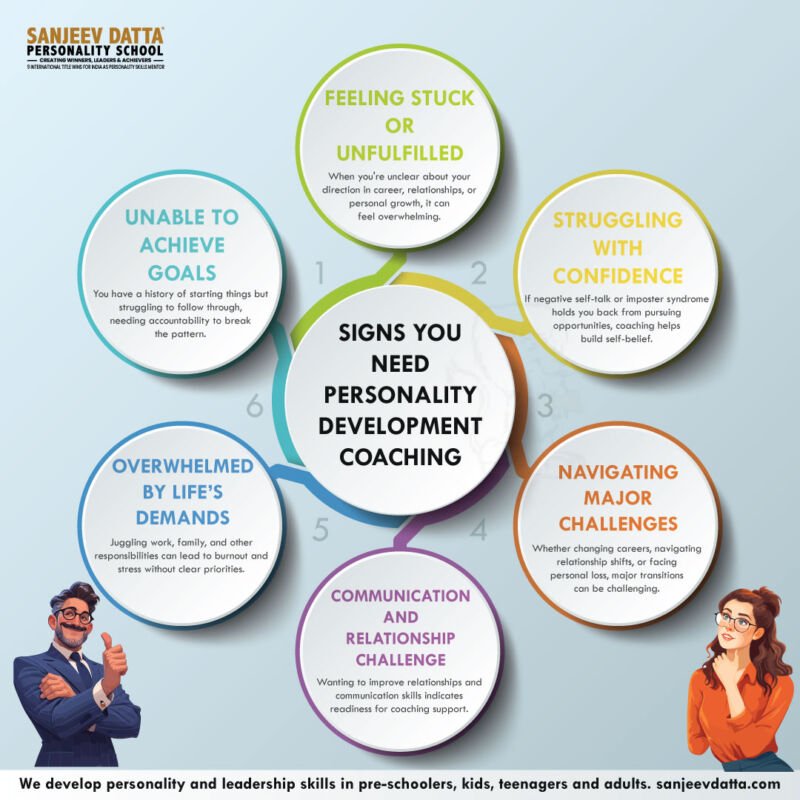
- Replace weak openers: Swap “I was just thinking…” for “Here’s what I recommend…” The language difference signals authority. For professionals specifically focused on the external polish—camera-ready grooming, professional dressing, voice modulation, and executive body language—personality grooming classes offer targeted, hands-on guidance. They’re designed to bridge the gap between who you are professionally and how you actually come across on screen. Think of it as upgrading your professional packaging to match your actual skill level—so your first impression finally does justice to your experience.
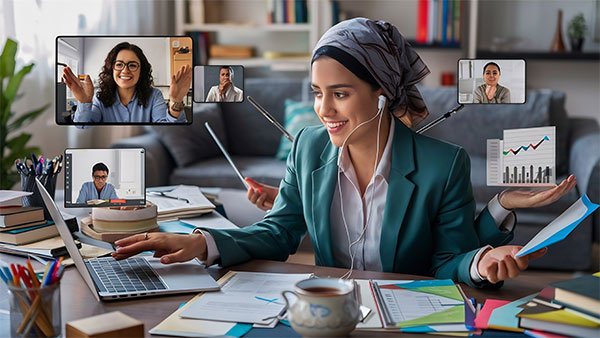
Part 5: On-Camera Body Language—What Your Posture Says Behind Your Back
Video magnifies micro-signals. The small slump, the wandering eyes, the lack of nodding—all of these read much louder on screen than in person.
Posture
- Sit slightly forward—this reads as engaged and interested.
- Shoulders back and relaxed—tension looks like anxiety on camera.
- Avoid leaning on one arm—it looks casual to the point of disinterest.
Eye Contact (The Game-Changer)
Most people watch themselves or the other participants’ faces on screen. This means they’re seldom looking at the camera, which means everyone else sees them looking slightly to the side or down.
Look at the lens, not the screen. It’s the closest thing to eye contact on video. A small sticky note near your camera lens can serve as a gentle reminder until it becomes a habit.
Hands and Gestures
Sitting completely still with hidden hands can look rigid. Let your hands appear occasionally at chest level for small, natural gestures. This communicates animation, engagement, and authenticity.
personality development for career change
Part 6: Behavioral Presence—How You Show Up in the Meeting Itself
Grooming and setup get you in the door. Behavior keeps you there.
The First 60 Seconds Set the Tone
Start with structure: “Quick agenda from my side—I’ll cover X, then Y, and open it up for questions.” This immediately signals that you’re prepared, respectful of people’s time, and leadership-ready.
Use Names
“Good point, Maya.” “Rishi, I’d love your perspective here.” Using names increases attention, signals social intelligence, and makes you memorable in a group setting.
Avoid These Presence Killers
- Eyes darting to your phone or second screen (everyone notices immediately)
- Talking too fast when nervous
- Over-explaining to compensate for self-doubt (shorter often sounds sharper)
- Going fully silent for long stretches without visual engagement cues

Building Lasting Virtual Presence: Beyond the Basics
The tactics above will give you immediate results. But lasting virtual presence—the kind that builds a reputation—requires developing the inner foundation: how you handle pressure, how you communicate your ideas, and how you project confidence even when you don’t fully feel it.
This is where a structured personality development course can accelerate your growth significantly. These programs go beyond tips and techniques to help you understand your communication patterns, identify what’s holding you back in professional settings, and build genuine confidence from the inside out. When you stop focusing on “how do I look?” and start focusing on “who am I being?”—that’s when your virtual presence becomes magnetic, not just managed.
Your 10-Minute Pre-Meeting Ritual (Save This)
Every time you have an important call:
1. Wipe your camera lens (clarity improvement—takes 3 seconds).
2. Check and adjust lighting.
3. Raise your camera to eye level.
4. Quick hair + shine check in the mirror.
5. Put on a solid top or blazer.
6. Silence phone notifications and close unnecessary tabs.
7. Have your notes or agenda open.
8. Take three slow breaths and say one full sentence out loud to set your pace.
Total time: 8–10 minutes. Impact: immediate and compounding.
FAQ: Mastering Virtual Presence
Q. Is virtual presence really that important if my work speaks for itself?
Yes, because in remote settings, your work is filtered through your on-screen presence. If people are distracted by poor audio or disengaged body language, they process your ideas less generously.
Q. What’s the one change that makes the biggest difference?
Lighting, without question. Front-facing natural or soft light transforms how professional and energetic you look—more than any clothing or grooming change.
Q. How do I look confident when I’m genuinely nervous?
Use a structured opening line, sit forward, and speak slightly slower than feels natural. Confident behavior triggers confident feelings—not always the other way around.
Q. Should I always have my camera on?
For important meetings, presentations, and any call where relationship-building matters: yes. Camera-off signals disengagement, even if that’s not your intention.
Q. What if I just genuinely dislike seeing myself on camera?
Hide self-view if your platform allows it (most do). It dramatically reduces self-consciousness and naturally improves your eye contact because you stop watching yourself.
Final Thoughts: You’re Not Performing—You’re Communicating
Mastering virtual presence isn’t about creating a fake, polished version of yourself. It’s about removing the technical and visual friction that stands between who you actually are and how people experience you on screen.
Your ideas deserve to land clearly. Your confidence deserves to be visible. Your professionalism deserves to show up—not get lost in bad angles, distracting patterns, or forgettable audio.
Start with one change today. Fix your lighting. Raise your camera. Put on a solid blazer. Speak 10% slower. Each tiny adjustment compounds into a presence that people notice, trust, and remember.
The camera is already on. Make it work for you.